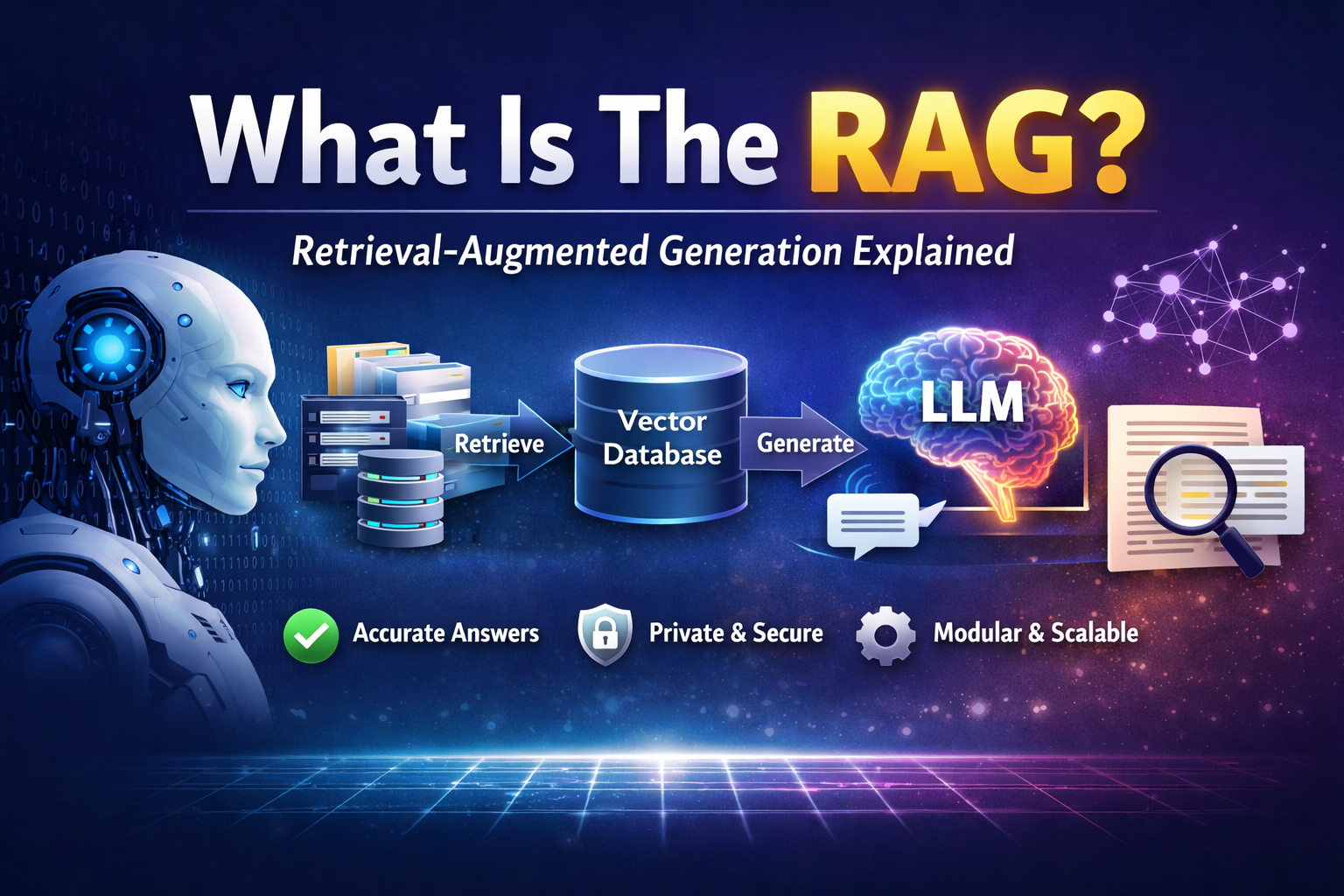
The term “RAG” stands for Retrieval-Augmented Generation. RAG systems can optimize the data without touching or fine-tuning the model. They also provide access to current data.
How does RAG work?
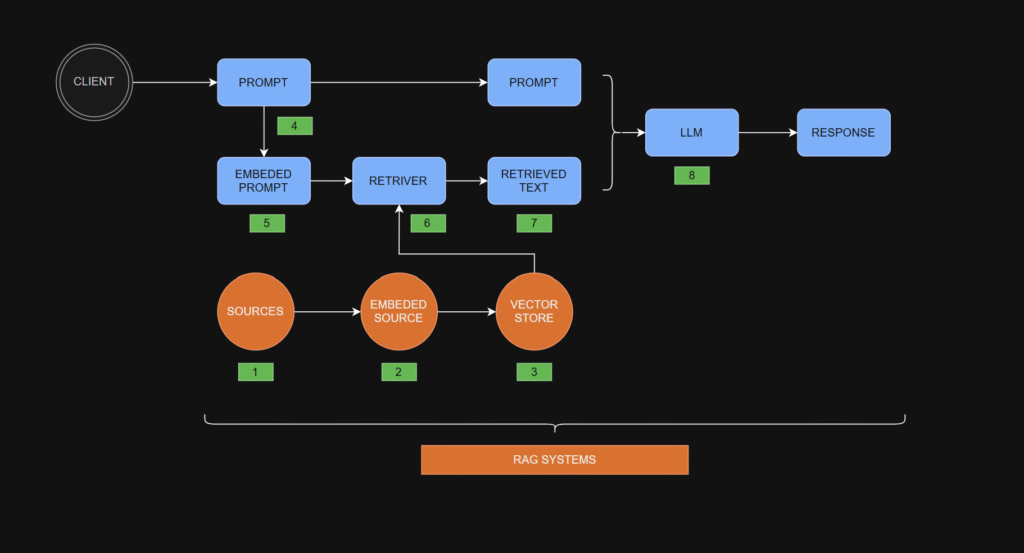
The steps in the RAG process
- Gather Sources: Start with sources like office documents, company policies, or any other relevant information that may provide context for the user’s future prompt.
- Embed Sources: Pass the gathered information through an embedding model. The embedding model converts each chunk of text into a vector representation, which is essentially a fixed-length column of numbers.
- Store Vectors: Store the embedded source vectors in a vector store — a specialized database optimized for storing and manipulating vector data.
- Obtain a User’s Prompt: Receive a prompt from the user.
- Embed the User’s Prompt: Embed the user’s prompt using the same embedding model used for the source documents. This produces a prompt embedding, which is a vector of numbers equal in length to the vectors representing the source embeddings.
- Retrieve Relevant Data: Pass the prompt embedding to the retriever. The retriever also accesses the vector store to find and pull relevant source embeddings (vectors) that match the prompt embedding. The retriever’s output is the retrieved text.
- Create an Augmented Prompt: Combine the retrieved text with the user’s original prompt to form an augmented prompt.
- Obtain a Response: Feed the augmented prompt into a large language model (LLM), which processes it and produces a response.
RAG Details
There are many nuances to each of the RAG steps highlighted above. Some of these details are elaborated on below:
- Gather Sources
- Gathering sources often involves preprocessing the data before moving to the next step.
- Preprocessing may include converting source files into more machine-friendly formats (for example, turning PDFs into plain text) or utilizing dynamic preprocessing libraries before passing documents to the next phase.
- Embed Sources
- Steps involved in embedding documents:
- Chunking: Large documents are split into smaller, manageable chunks to enable efficient retrieval.
- Embedding: Text chunks are processed by an embedding model, distinct from the LLM used for response generation. This embedding model transforms text chunks into fixed-length numeric vectors that capture their semantic meaning.
- How embedding works:
- Tokenization: Text is split into tokens (for example, words, parts of words, punctuation). Each token is assigned (encoded with) a unique numerical ID with no intrinsic meaning—IDs are consistent for the same token.
- Neural Network Processing: Token IDs are input into the embedding model’s neural network, producing fixed-length vectors that encapsulate the text’s semantic meaning.
- Store Vectors
- Embedding vectors are stored for future retrieval.
- Simple systems use matrices, but most utilize specialized vector databases like ChromaDB, FAISS, or Milvus. Each database offers unique features and limitations.
- Obtain a User’s Prompt
- A user’s prompt can either be standalone or incorporate prior conversation history.
- If a discussion history is included, conversation memory tools (for example, LangChain, LlamaIndex) help augment the current prompt with the relevant context.
- Embed the User’s Prompt
- The user’s prompt is embedded using the same embedding model as the source documents, ensuring compatibility.
- Retrieve Relevant Data
- Various retrieval strategies exist, such as:
- Retrieving the most relevant text chunk.
- Fetching the entire document containing the relevant chunk.
- Retrieving multiple relevant documents.
- Create an Augmented Prompt
- Augmented prompts merge the user’s original query with retrieved data.
- Common methods include:
- Simple concatenation of the user’s prompt with retrieved text.
- Using structured templates where different components (for example, user input, retrieved text) are placed alongside additional instructions for the LLM to follow.
- Obtain a Response
- Responses can be further refined using predefined templates, ensuring a consistent presentation style tailored to the use case.
Advantages of RAG systems:
✓ You can change the data easily if it is not correct.
✓ RAG does not need to fine-tune the LLM model.
✓ You can upgrade the database of the RAG system without a big cost.
✓ Much less hallucination
✓ Your private data stays private
✓ Domain-specific intelligence
✓ Composable & modular
Thanks for reading.


No responses yet